
PAINLESS ADMINISTRATION
Hands-free service provisioning, with notifications, audit trail and effortless billing
Simplify after-hours provisioning and save time, without losing control
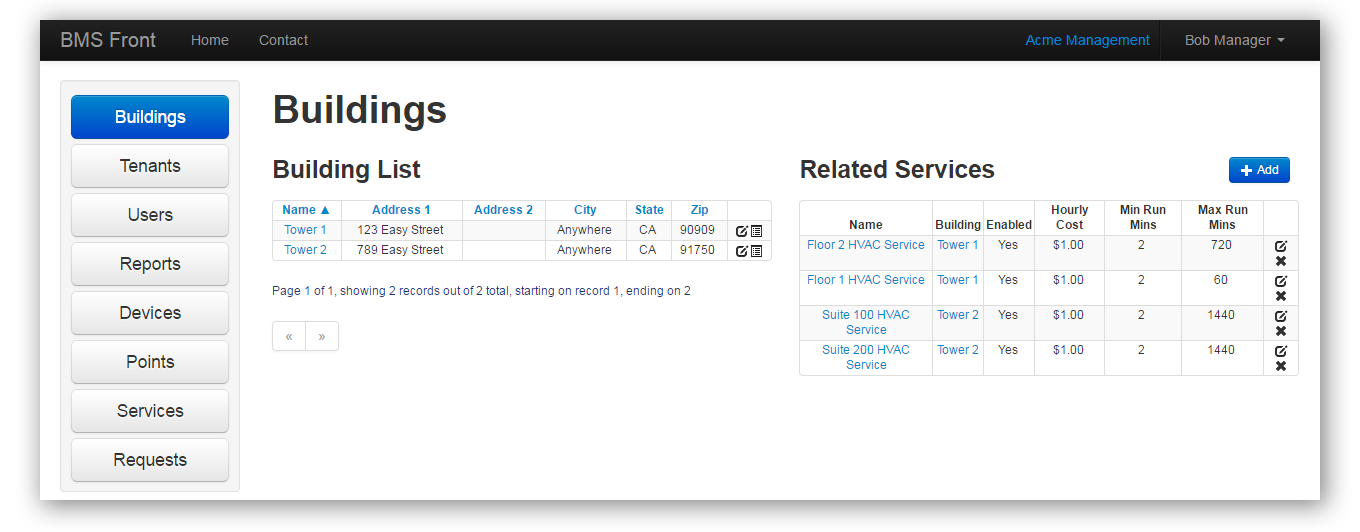
At-a-glance view of your buildings and services
You can quickly navigate to the building and service you wish to configure. Each building has a default lease schedule which defines the times and days when service requests are not billable. These defaults are overridden automatically by tenant-specific lease schedules.
Quick links to utilization reports for each building
In a few seconds you can generate utilization reports (which look like an invoice) for every tenant in each building. Reports use that building's time zone, so start and stop times stay easy to read. You get an audit trail of requests.
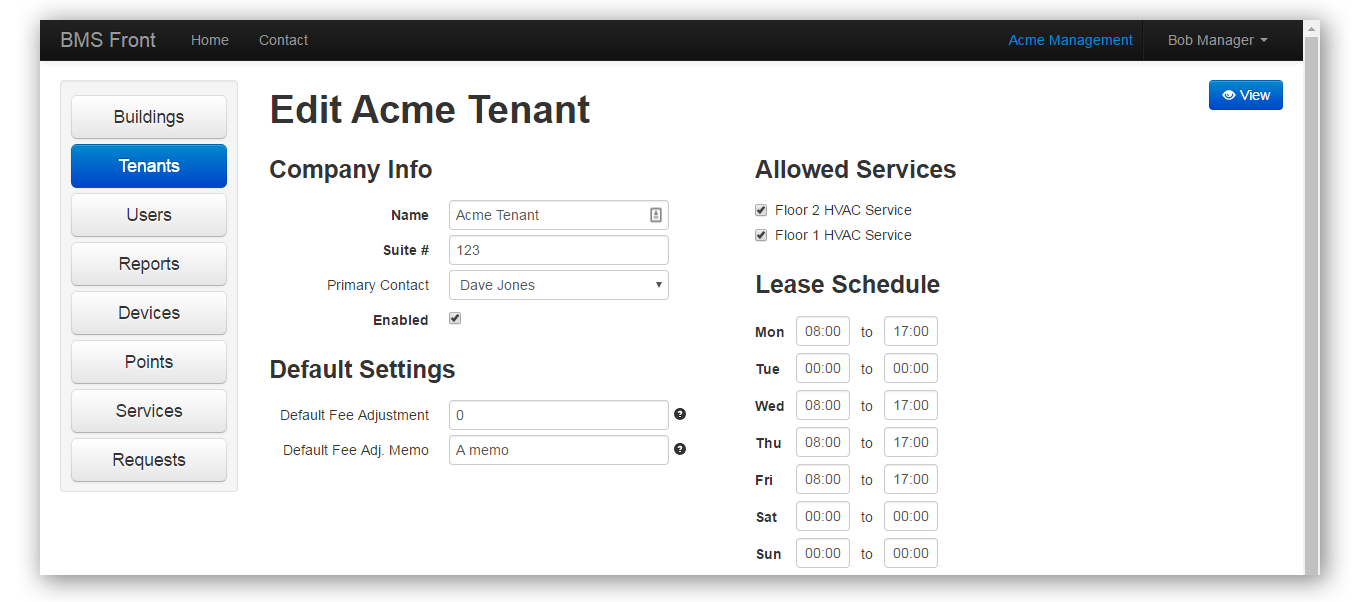
At-a-glance view of the tenants in each building
See all the tenants in a building and the services enabled for each. You can create and edit tenant-specific lease schedules, defining the standard and billable times and days to match different lease hour agreements you may have for each tenant.
Quick links to tenant utilization reports
Generating utilization reports for one tenant or all tenants in a building is a cinch. No more messing around with spreadsheets. You can produce an after-hours utilization report for the previous month of activity or any other period by choosing a custom date range.
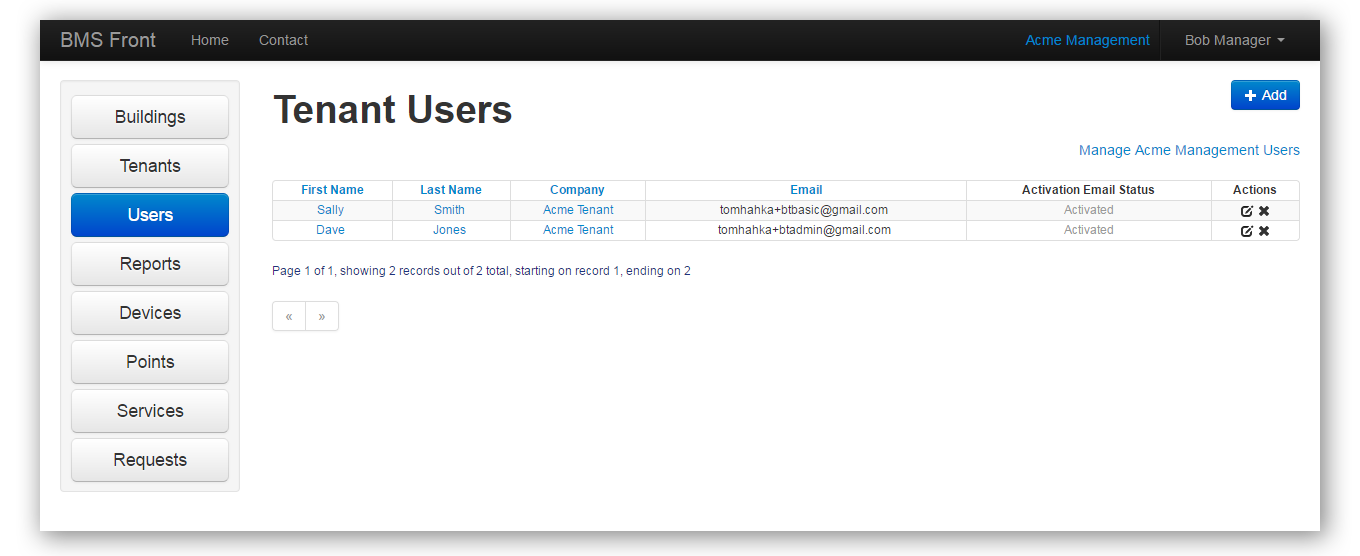
Manage users, roles and privileges
Each tenant account may have any number of users with different access privileges to the available services in their building. It's easy to add, edit, delete or temporarily disable users in any tenant company as well as your own facilities users.
Notifications for account registration can be sent or resent on-demand from the interface.
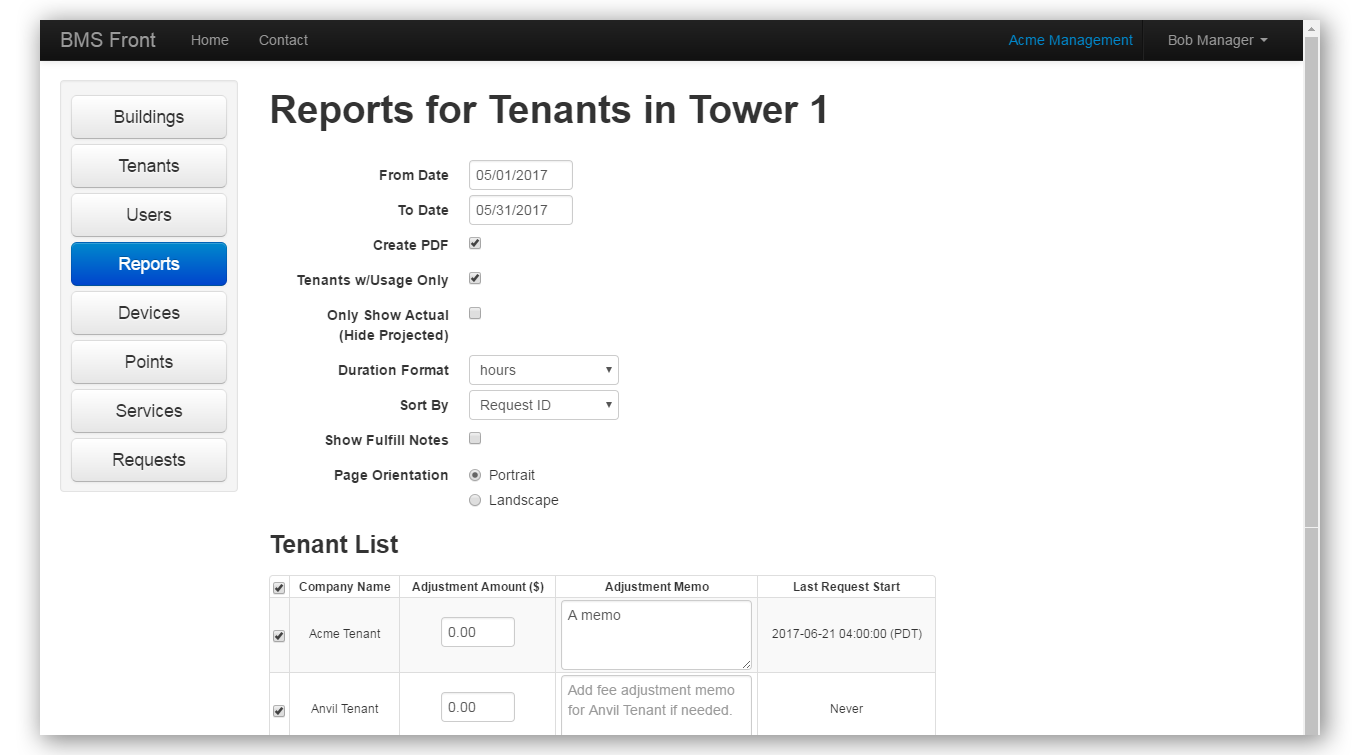
Generate usage reports for all tenants that used services
View a convenient "last service fulfilled" indicator for each building to determine which tenants do and do not require a report to be generated for a particular time period. This allows you to exclude tenants that did not use any service for the specified time period.
Usage reports may be previewed online or downloaded as a PDF in portrait or landscape for distribution to tenants. Reports can be generated at any frequency, and will show up to 1-month blocks for any time range. You can also add memos to clarify particular line items. For example, one could be added if the service request was added by the facilities team and not the tenant.
Detailed tracking and notation for any necessary adjustments
You can apply and track monetary adjustments from within the system, for example, for clients that have a rolling credit. Updated amounts can be saved for future reports to keep track of adjustment status. Notes can be added to explain each adjustment.
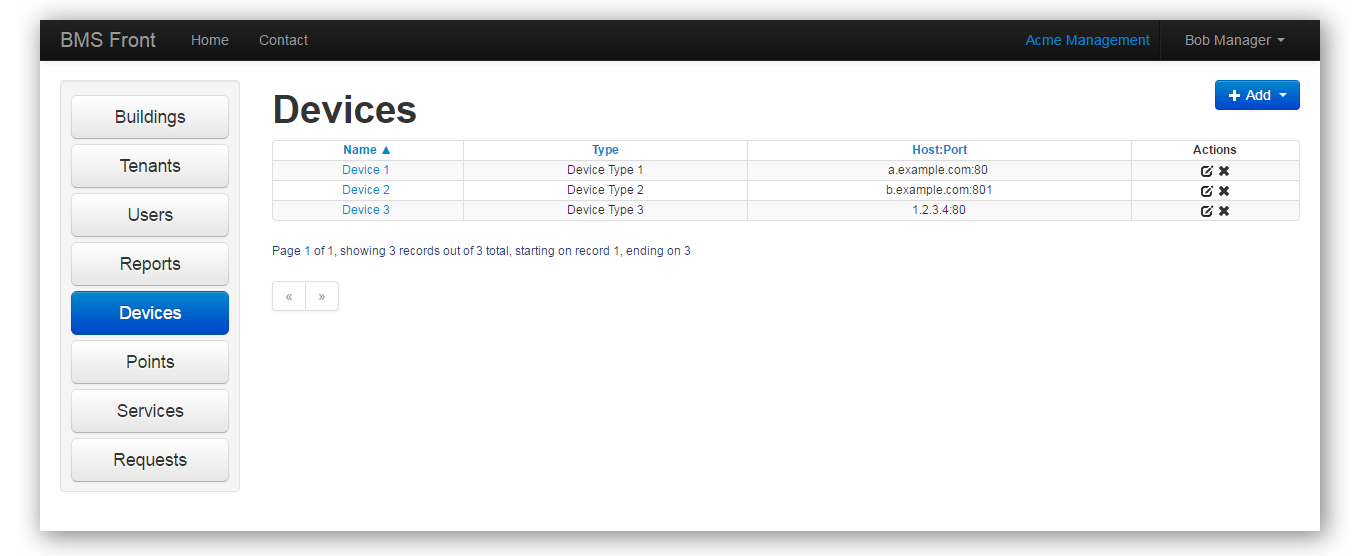
View and configure the devices managed by BMS Front
The devices interface provides details on the Building Automation System controllers which the BMS Front service connects to from the cloud. Typically these are set up once by your system integrator and never touched again.
However, there are occasions when you or your system integrator may need to adjust the configuration, say if you need to replace or upgrade equipment. Or, if you reconfigure which downstream HVAC or lighting equipment each device controls. Also if you change IP addresses for these devices, you will need to update settings to maintain service continuity.
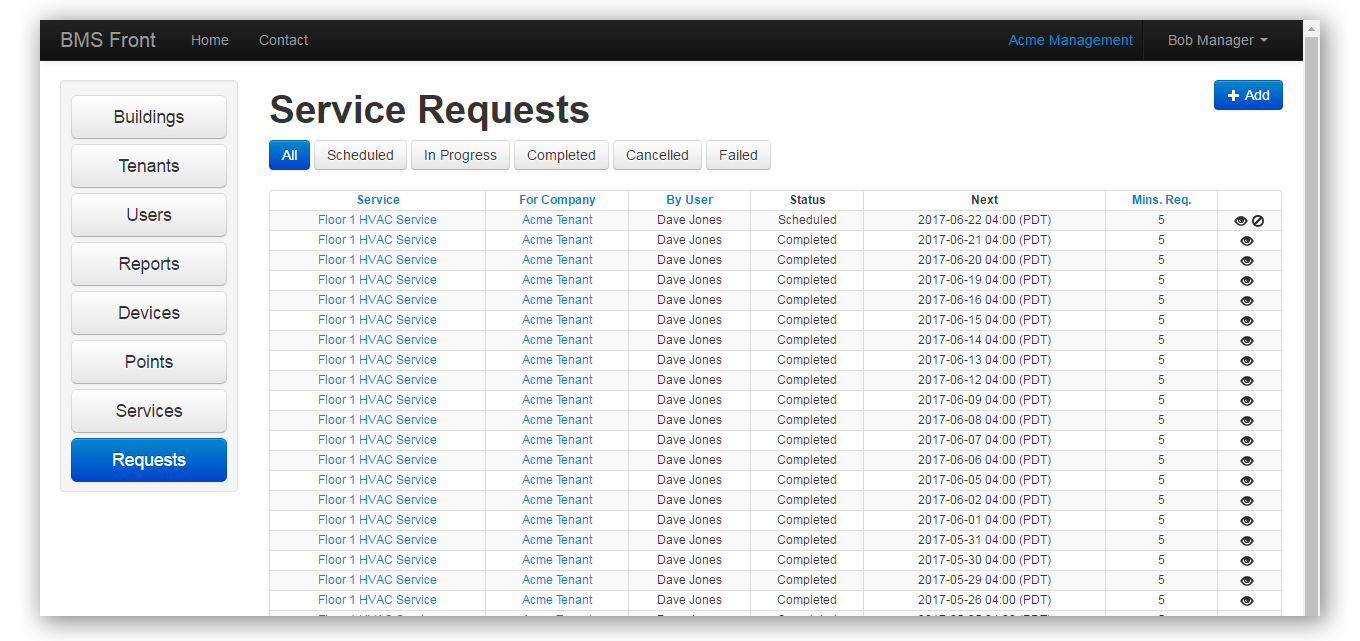
View, add, or cancel one-time and recurring service requests
You can view and sort lists of all service requests in each building and filter them by status. Facilities can perform any action on behalf of a tenant, such as add or cancel a request in cases where a tenant user needs assistance.
Service requests can be created as a one-time or recurring request. To ease setup of recurring requests, several classic recurrence patterns are provided. These are similar to those found in typical email calendar applications.
No-charge options, adjustments and smart billing
A No-Charge option is provided for cases where you wish to grant a tenant access to services at no charge. When start and end times fall within a tenant's standard lease hours, the billing for that service request is automatically adjusted to compensate for the "free" service run-time provided within the lease hours. So no one gets over-charged.